Computer vision is a branch of artificial intelligence that allows machines to see and interpret images. It’s like the computer’s digital pair of eyes. But here’s the surprise. Some computer vision systems can identify a tiny crack on a bridge faster than a trained engineer.
That one fact changes the way we think about safety, medicine, and even your phone camera. In this guide, I break down computer vision. You’ll discover how CV works and where it’s used. And why it matters to your everyday life.
What Is Computer Vision?
Computer vision is a subfield of artificial intelligence. It teaches computers to read photos and movies. It’s basically giving machines the ability to see. Unlike a conventional camera, a computer vision and imrage understanding system does not just take a picture. It looks at the shapes, colors, and patterns in that picture. It decides what to do according to what it sees.
For example, a CV application can look at a picture of a dog. Then the application can identify the image by saying, ‘This is a dog,’ without any human input. It sounds like magic, but it’s really simply smart math and pattern matching. It’s why many of the products you use every day are based on computer vision.
Why Computer Vision Matters Today
Artificial intelligence has been growing fast in the last decade. One of its largest and fastest-growing parts is computer vision. Market research firms like Grand View Research and Fortune Business Insights estimate that the global computer vision market will be worth more than twenty billion dollars in 2026.
Experts expect that number to grow even higher over the next few years. One clear thing this growth shows businesses use computer vision to solve real-world problems.
Hospitals use it to detect diseases in scans. Farmers use it to check on the health of crops from the sky. Car makers use it to design safer cars. So computer vision is not just a tech trend. It’s become part of everyday life.
How Does Computer Vision Work?
Computer vision works with images. This is called image understanding, by breaking them into small pieces called pixels. Each pixel contains information on color and brightness. It is capable of evaluating millions of pixels at once. Then it finds patterns that fit things that it has learned already.
Here’s a simple step-by-step process breakdown:
- Image Capture: A camera or sensor takes a picture or video.
- Preprocessing: The system cleans the image and removes noise.
- Feature detection: The system looks for edges, shapes, and colors.
- Pattern matching: It looks for these traits within known patterns.
- Classification: The system recognizes what the object is.
- Action or output: The system takes an action or returns the answer.
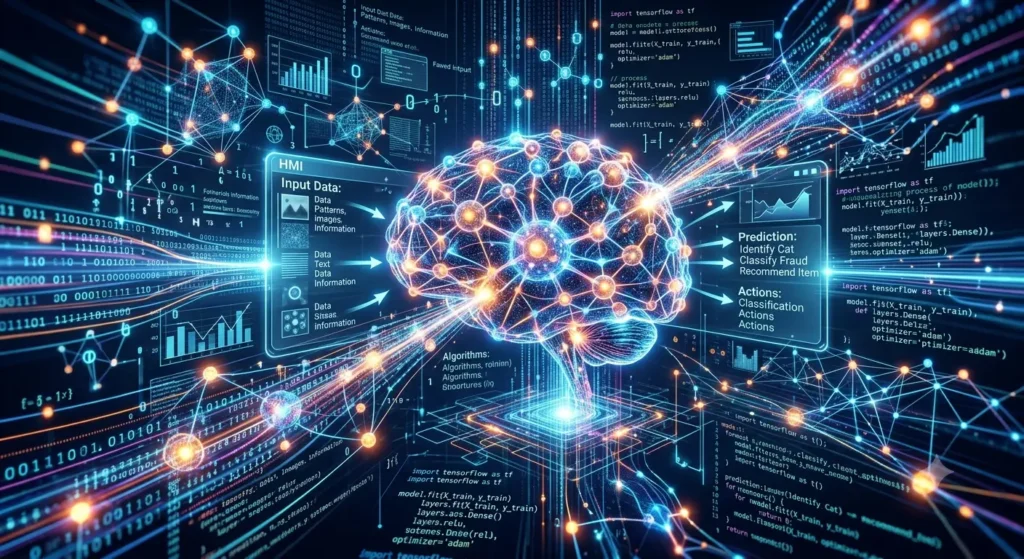
Deep learning also forms the backbone of many of the computer vision tools now available to us. Neural networks are the basis for deep learning and are designed to mimic the human brain. They are trained on thousands, or even millions, of images. Over time they become better and better at spotting patterns. This article is becoming more important for those who want to become an AI specialist and it will help you to learn machine learning and deep learning. So read the complete guide step by step. I am sure that after this you all your questions about CV will be solved.
What Are Neural Networks?
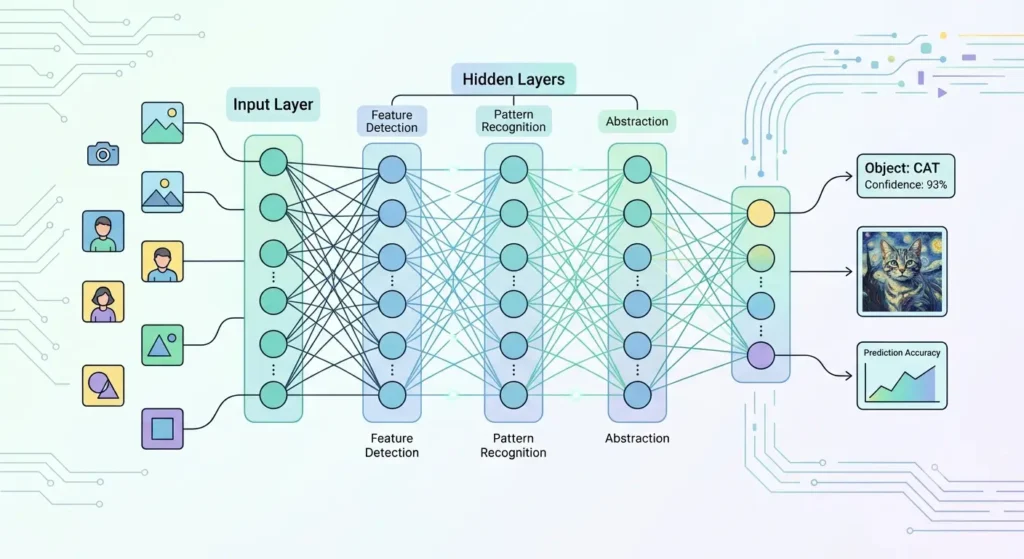
Neural networks are computer systems that are made up of layers of small decision points. The various layers look different in the image. The first layer may detect simple edges.
The next layer could be shapes. Later layers can recognize complete objects, e.g., a face or a car. This layered process allows deep learning models to process very complex images.
A Short History of Computer Vision
Artificial intelligence research started in the 1950s. Computer vision was not far behind. Early scientists wanted computers to understand images as humans do. But this proved to be a much more difficult task than they had imagined.
A short timeline:
- 1960s: Scientists experiment with simple image analysis using simple shapes.
- 1970s: Early edge detection tools developed.
- 1990s: Computers begin rudimentary face recognition.
- 2000s: Machine learning makes object recognition faster.
- 2010s: Deep learning changes everything with huge accuracy gains.
- 2020s: Computer vision becomes common in phones, cars, and stores.
Types of Computer Vision
Computer vision is not just one single tool. It includes several different tasks. Each type solves a different kind of visual problem.
1: Classification of images
Image classification is the process of classifying a picture. For instance, a system might label a picture as “cat” or “not cat.” This is often the first skill learned by a computer vision model.
2: Object Detection
Object detection recognizes and classifies various objects in an image. It even shows where each object is, unlike simple classification. For example, a self-driving car uses object detection to recognize people, signs, and other cars at the same time.
3: Facial Recognition
Facial recognition is the process of identifying or verifying a person by their face. Facial recognition technology is what phones use to unlock screens. Airports use it to verify travelers’ identities. However, this technology raises privacy issues, which we discuss later.
4: Segmentation of the image
Image segmentation divides a picture into distinct parts or regions. For instance, a medical scan may be segmented to display only the tumor region. It enables physicians to concentrate on the most important aspects.
5: Motion Analysis
Motion analysis is the study of the motion of objects in video frames. Sports teams study player movement this way. Security systems use it to detect anomalous activity.
6: Optical Character Recognition
Optical character recognition, or OCR. Let’s say that your banking app uses OCR to scan a check. This technology makes digital text out of words on a page or piece of paper. or on paper into digital text.
Real-World Examples of Computer Vision
Today, computer vision is impacting almost every industry. Here are some clear examples of how far it goes.
- Healthcare: Computer vision is used in healthcare to find tumors in X-ray and MRI pictures.
- Retail: Stores are used to keep track of their stock and stop theft.
- Agriculture: Farmers widely use computer-vision drones to monitor the health of their crops.
- Automotives: It helps self-driving cars to locate the lanes, traffic signs, and pedestrians on the road.
- Security: CV use for face recognition technology on cameras monitors who enter and exit.
- Manufacturing: It’s used by factories to identify mistakes on the assembly lines.
- Sports: It’s used by sports teachers to assess their players’ speed and form.
- Social media: Apps use it to automatically add filters and tag photos.
Google Photos, for example, uses computer vision to organize your pictures by people, places, and objects, although it’s an everyday tool. Similarly, Amazon Go stores use it to let shoppers walk out without a checkout line.
Disadvantages and Challenges of Computer Vision
Of course computer vision has its advantages, but it also has real limitations. It is important to know both sides.
Bias in data: Training images are not diverse enough results can be unfair.
Privacy issues: Facial recognition can identify people without their permission.
High cost: Training and building large models require powerful computers.
Problems in adverse conditions: Bad lighting or blurry images can confuse systems.
Job impact: Automation can take over some manual inspection jobs.
Security risks: hackers can deceive systems with manipulated images.
However, many of these problems can be addressed and related issues mitigated by careful design. Through design to solve other related problems. For example, training data diversity reduces bias. Privacy laws that are clear can also protect user rights. That’s why responsible development is as important as raw technical skill.
Computer Vision vs Human Vision
Human and computer vision both process light and shape. But they are completely unique in how they work. The human eye sends signals to the brain using complex tasks. A computer vision system uses math, code, and training data instead.
Here is a simple comparison:
| Feature | Human Vision | Computer Vision |
| Speed | Fast but limited | Extremely fast at scale |
| Fatigue | Gets tired | Never tires |
| Bias | Personal experience | Data-based bias |
| Learning | Lifelong and natural | Needs training data |
| Emotion reading | Strong | Still developing |
So many artificial intelligence experts believe the best result is a combination of human and machine speed. Meanwhile, human brain still beating machines at understanding and emotions.
What are the Common Tools and Technologies Used in Computer Vision?
Modern computer vision systems depend on several tools and frameworks.
- OpenCV: A popular open-source library for image processing.
- TensorFlow: A machine learning framework from Google.
- PyTorch: A deep learning framework popular among many researchers.
- YOLO: A fast object detection system used in real-time tasks.
- Cloud Vision API: A cloud-based tool that adds image analysis to applications.
Also, CV models need powerful graphics cards called GPUs for better results. Without strong hardware to train deep learning models, it takes a long time.
How Businesses Use Computer Vision
Today, many companies in various fields rely on computer vision for their day-to-day activities. They use it to verify identity when you deposit checks via mobile, for example. Insurance companies also use it to assess car damage from photos. Stores use it to sort packages manually, without scanning them.
It helps companies to reduce labor and costs, as well as perform better compared to humans. This trend and research reports predict strong growth in computer vision to continue through 2023 and beyond.
Expert Insights on Computer Vision
Researchers at Stanford University run one of the most highly regarded computer vision labs in the world. They release an AI Index Report every year that tracks progress in image identification accuracy. Their findings demonstrate that machine accuracy on some image tasks is now comparable to or better than average human performance.
Meanwhile, MIT’s Computer Science and Artificial Intelligence Laboratory is still studying how vision systems can better understand context, not just objects. Specialists there insist that real understanding is not simply a matter of pattern matching. One has to think about what an image really means.
Fei-Fei Li, a well-known computer scientist and co-founder of the ImageNet project, has said many times that being able to give machines sight was one of the most difficult problems in artificial intelligence. Her work has helped train modern systems on millions of labeled images. The entire field is going to move forward on this project.
The Future of Computer Vision
The next few years will see computer vision become even more powerful. The market is expected to surpass one hundred billion dollars in the next ten years, according to an analysis. The growth is likely to be driven by new applications in healthcare, robotics, and augmented reality.
Future smart glasses could translate street signs in real time. Robots may also use computer vision to safely work alongside humans in warehouses. Self-driving cars will probably get even better as the training data gets bigger and more varied.
But experts also warn that rules and ethics must evolve with the technology. Breakthroughs will matter just as much as clear laws on privacy and bias. To put it simply, the future of computer vision is about smarter policy as well as smarter code.
Computer Vision and Artificial Intelligence
AI is a large field. Computer vision is one of the key parts of artificial intelligence. Machine learning is a method of teaching computers to learn from data. Computer vision is the application of that learning to visual data specifically.Then there is natural language processing. This is the one that deals with text and speech. All these branches are working toward one purpose. The idea is to build machines that understand the world as humans do.
For example, a camera in a smart home might use computer vision to recognize a person at the door. Then it may use natural language processing to give you a voice alert. This teamwork between AI branches makes modern devices feel more helpful and aware. Most popular apps in reality combine multiple branches of AI into a smooth experience.
Machine Learning vs Deep Learning in Computer Vision
Machine learning uses simple foundational guidelines to sort data. Deep learning works a step further using multi-layered neural networks. Older computer vision systems depend mostly on machine learning. Engineers had to manually point out features like edges or corners.
Modern systems use deep learning instead to complete the process. These systems learn features on their own from raw image data.
As a result, deep learning models often perform better on complex tasks. However, they also require much larger datasets and more powerful computers to train effectively.
The Ethics of Computer Vision
Ethics is the basis for the application of computer vision. For example, facial recognition can help find missing persons. But the same tool can also allow for unwanted surveillance. It is this double-edged sword that has led many cities and countries to regulate its use. In some places, facial recognition is outright banned in public places. Any data collection must first have the explicit consent of others.
Another serious ethical issue is bias. Systems that learn only from photos of one group of people might not work well on others. That can result in unfair or even harmful outcomes.
Research published by MIT Media Lab, for instance, found that early facial recognition tools were less accurate for women and people with darker skin tones. Since then, many companies have been working to improve their training data and testing.
At the same time, data privacy remains a key concern. Pictures often contain personal and sensitive information. Companies have to store and manage this data responsibly.
Establishing confidence requires clear policies, strong security, and open communications with users. So, ethical design is not optional. It is a key ingredient of good computer vision systems.
Common Myths About Computer Vision
There is a lot of fable around this fast-growing technology. Let’s set straight a few common misconceptions.
- Myth: Computer vision is just like human vision.
- Reality: It understands patterns and pixels, not actual understanding or feeling.
- Myth: The accuracy of computer vision remains the same.
- Reality: Accuracy is heavily dependent on the training data and the quality of the image.
- Myth: Only big tech companies use computer vision.
- Reality: Small companies can now buy equipment to do activities like checking inventories.
- Myth: Computer vision doesn’t need supervision from humans.
- Reality: Human review still plays a critical role in safety and fairness audits.
- Myth: Computer vision technology is new.
- Reality: This subject has been studied for almost 60 years.
Knowing the truth helps people use technology wisely, given the widespread misinformation on the internet.
Computer Vision in Different Industries: A Closer Look
Different industries use computer vision in unique ways. Below is a closer look at three major sectors.
Computer Vision in Real Life
Computer vision is no longer confined to the lab; it is now a part of everyday life. Many people today use computer vision technology without knowing it. It helps people solve problems faster and more accurately, from smartphones to hospitals, from factories to farms.
CV is more powerful than ever with the development of artificial intelligence and deep learning. This has led to companies and organizations all over the world deploying computer vision solutions to improve efficiency and decision making.
Computer vision will be everywhere in the future. It will spark new inventions and enable industries to develop smarter systems.
Computer Vision in Healthcare
One of the places where computer vision is making a major impact is healthcare. Doctors use computer vision to look at images and figure out if someone is sick.
The human body’s important information is stored in medical images. But checking thousands of images manually can be time-consuming. Computer vision allows doctors to quickly and accurately analyze these images.
Computer vision systems can also analyze X-ray, MRI, CT, ultrasound, and microscope images. The systems flag patterns that could be a sign of disease or other health conditions.
Computer Vision in Self-Driving Cars
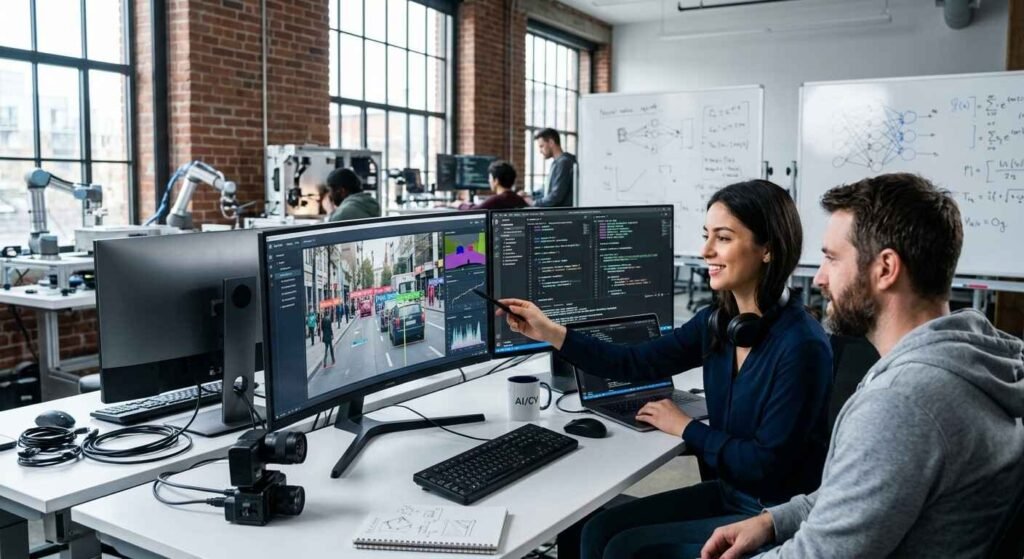
Self-driving vehicles are the most exciting examples of computer vision. A human driver uses eyes to see the road. Instead, a self-driving car uses cameras and computer vision systems.
Vehicles use computer vision to detect:
- Roadways
- Traffic signals
- People on foot
- Other vehicles
- Road blocks
- Bicycles
- Parking
The car is continuously capturing images from the cameras. And then you have computer vision scanning the environment, assisting the car in deciding what move to make.
If a pedestrian crosses the road, computer vision detects the person. The system then assists the vehicle in braking or stopping.
Computer Vision in Traffic Management
Security is another large area where computer vision has found wide application. Older security cameras only recorded video. Humans have to watch those videos to find things of interest.
This is different with computer vision. Smart cameras can look over video footage and automatically pick up on strange activity. Computer vision can improve security in airports, banks, shopping malls, and other public places.
Organizations must, however, use surveillance technology responsibly. It is extremely important to protect people’s privacy and personal information.
Computer Vision in Agriculture
Computer vision is making agriculture smarter. Farmers are using cameras, drones, and satellites to monitor crops. Computer vision can study images to identify problems early.
Computer vision assists farmers in detecting:
- Plant disease
- Insect injury
- Growth of Weeds
- Water issues
- Crop condition
For example, a drone can fly over a big farm and take thousands of pictures. Computer vision analyses these images and tells farmers where work needs to be done.
The technology helps farmers to conserve resources and improve production.
Computer Vision in Manufacturing
Computer vision is used by manufacturing companies to enhance the quality of their products. Factories often make thousands of products each day. Checking every product manually can be slow and expensive.
Cameras in computer vision systems are used to inspect products automatically. They pick up on small problems that human workers might miss.
For instance, a factory that makes electronic devices may use computer vision to inspect each device before shipment. This helps enhance quality control and reduce waste.
Computer Vision in Retail and Shopping
In retail businesses, computer vision helps improve customer experiences. Retailers today use smart cameras to understand customer behavior. With computer vision, companies can track inventory and enhance store operations.
Typical retail applications include:
- Product recognition
- Self-Service Checkout
- Shelf watching
- Analysis of customer behavior
- Theft deterrent
Some high-tech stores allow shoppers to grab their goods and walk out without using a traditional checkout. Computer vision automatically identifies purchased items. Online shopping portals also use image recognition technology. Customers can upload pictures and find similar products.
Computer Vision in Banking and Finance
Computer vision is used in the banking industry to improve security and automate document processing.
Every day, banks process millions of documents. Computer vision and OCR help turn paper documents into digital information.
For example, when a customer submits an identity document, computer vision can quickly verify important information. It reduces manual work and improves customer service.
Computer Vision in Education
Education is another area that stands to benefit from computer vision. Computer vision is used by schools and universities for a plethora of purposes.
Computer vision can help teachers to understand student engagement. It can also automate administrative work. But educational institutions must balance technology use with student privacy.
Computer Vision in Entertainment
Computer vision is also used in entertainment platforms. Movie studios use it for visual-effects and animation. Gaming companies use it for real life experience. Social media apps use it for filters, and image effects.
A good example of computer vision is those face filters you see in social media apps. The system analyses facial features and automatically applies digital effects. Computer vision is also known as virtual reality and augmented reality.
How to Choose a Computer Vision Solution
If you’re a business looking to add computer vision, there are a few key factors to consider when selecting a tool.
- Identify the specific problem to solve.
- You need data! Models need good training images.
- Speed and privacy needs in cloud vs local processing.
- Test accuracy on real sample data before rollout.
- Models get better with more data over time, so think about continuous updates.
- Look at privacy and legal regulations in your industry and location.
But every business is different, so there isn’t one size-fits-all solution. Good planning can save you expensive mistakes later on.
Tips for Learning Computer Vision
If you want, here are simple steps to start learning computer vision.
- Learn some basic programming, especially Python.
- Study basic mathematical subjects like linear algebra and statistics.
- Start with beginner tools like OpenCV.
- Join free online courses from trusted platforms.
- Build small projects like a face detection application.
- Join online communities to ask questions and show off your progress.
This is a fast-moving field, and continuous learning is important. New tools and models seem to appear yearly.
Frequently Asked Questions
Computer vision is technology that helps machines see and understand pictures, much like human eyes and brains do together.
It breaks images into pixels, studies patterns, and compares them to known examples to make decisions.
No. Image processing only edits or improves images. Computer vision goes further by understanding what is inside the image.
Face unlock on your phone is a common example of computer vision.
Healthcare, automotive, retail, security, and agriculture industries use computer vision heavily.
Not yet. Computer vision is strong at speed and pattern spotting but still struggles with deep context and emotion.
Deep learning is a method that uses layered neural networks to help computers learn from large sets of images.
It can be safe when designed responsibly, but risks like bias and privacy issues must be managed carefully.
Healthcare, manufacturing, automotive, and retail see some of the biggest benefits today.
On many standard tasks, top computer vision models match or beat average human accuracy.
You need basic programming skills, some math knowledge, and practice with tools like OpenCV or TensorFlow.
Not always. Many systems run locally on devices, though some rely on cloud processing for heavy tasks.
Bias in training data remains one of the biggest ongoing challenges for the field.
It may change some manual inspection jobs, but it also creates new roles in AI development and oversight.
Experts expect strong growth in healthcare, robotics, and smart devices over the next decade.
Conclusion
Computer vision gives machines a powerful new sense of sight. This technology already influences daily life, from unlocking your phone to helping doctors find disease. Its advantages, such as speed, accuracy and safety, are also growing across industries. But real challenges such as bias and privacy still need to be carefully thought out. Hence, the future of computer vision is a combination of clever engineering and conscientious rules. Because this field is moving fast, now is a great time to understand how it works and where it is going.
Research and Expert References
- Grand View Research: Computer Vision Market Size And Share Report (2026-2033)
- Fortune Business Insights: Computer Vision Market Size, Trends and Forecast Analysis
- Fortune Business Insights: AI In Computer Vision Market Size and Growth Report
- Markets and Markets: Computer Vision Market by Component, Product, Application and Vertical
- Research and Markets: Computer Vision Market Report 2026
- Stanford University: AI Index Report Stanford Institute for Human-Centered Artificial Intelligence
- MIT Computer Science and Artificial Intelligence Laboratory: CSAIL research on computer vision
- MIT Media Lab: Gender Shades research on facial recognition bias
- Stanford Vision Lab: ImageNet project